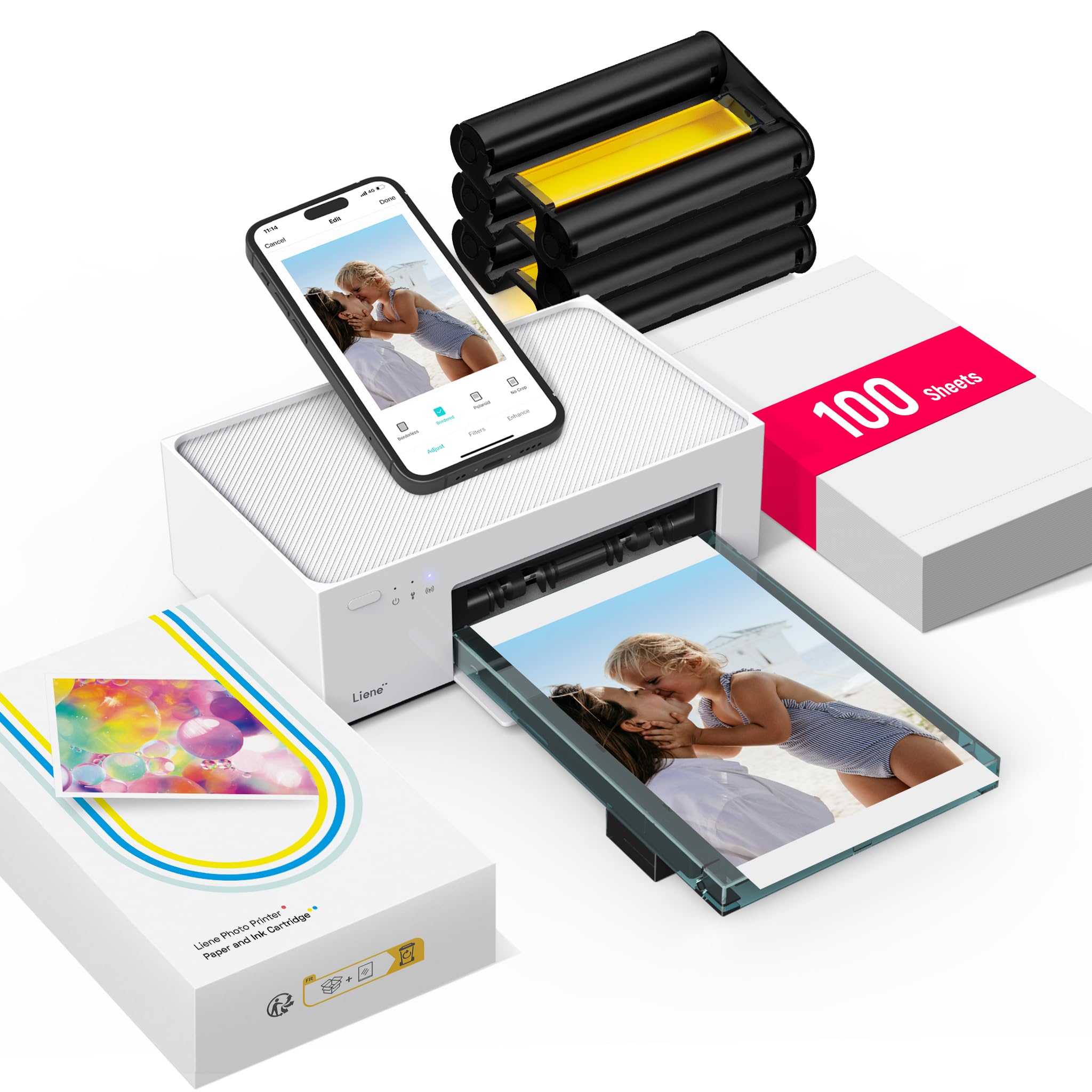
The Liene M100 Photo Printer is designed to turn phone pictures into standard 4×6 prints, with a built-in Wi-Fi hotspot and a starter supply of paper and color cartridges.
This liene m100 photo printer review looks at how its app tools, compact storage design, and print format suit everyday home photo printing.
Liene M100 Review Summary
The quick verdict
4,000+ ratings
Read Amazon ReviewsLiene M100 Photo Printer
A fit for phone users who want wireless 4×6 prints at home, with paper and cartridges included for getting started.
- Dye-sublimation color printing produces 4×6-inch photos on glossy paper.
- A laminated print surface is designed to resist water, scratches, fingerprints, and fading.
- A built-in Wi-Fi hotspot lets compatible devices connect directly, with no other network required for printing.
- Up to five devices can connect at once, making shared household printing more convenient.

Pros
- Comes with a substantial starter supply of paper and cartridges.
- Prints in the widely useful 4×6-inch photo format.
Consider before buying
- Its 4×6-inch maximum media size limits buyers who need larger photo prints.
- Printing requires compatible Liene cartridges, so buyers should check replacement supply availability and cost before committing to regular use.
Read the full review summary
The M100 combines dye-sublimation printing with a laminated finish intended to resist water, scratches, fingerprints, and fading.
Its 4×6-inch format works well for albums, frames, and keepsakes, while the included 100 sheets and three cartridges mean buyers can begin printing without assembling a separate supply kit.
It is most appealing to households that print from iPhone or Android devices and want several people to connect directly to the printer’s hotspot.
The Liene app provides simple edits such as filters, borders, brightness, and contrast, as well as printing-status checks. This is a dedicated photo printer, so it suits photo projects better than general office use.
The buying factors
Liene M100 Scorecard
Editorial scores reflect listed features and buyer fit; they are not laboratory measurements or customer ratings.
Phone printing convenience
A built-in hotspot supports direct connection from compatible phones without relying on another network.
Print format usefulness
Standard 4×6-inch prints suit familiar album and frame sizes.
Included supplies
The package includes 100 sheets of photo paper and three color cartridges.
Editing flexibility
The app offers filters, borders, and brightness and contrast adjustments for basic customization.
Group use
Up to five devices can connect at the same time, which can help when family members are sharing prints.
Everyday versatility
It is a print-only photo device with a maximum media size of 4×6 inches, so it is not positioned as an all-purpose office printer.
Key Features and Specifications of Liene M100
- Dye-sublimation color printing produces 4×6-inch photos on glossy paper.
- A laminated print surface is designed to resist water, scratches, fingerprints, and fading.
- A built-in Wi-Fi hotspot lets compatible devices connect directly, with no other network required for printing.
- Up to five devices can connect at once, making shared household printing more convenient.
- The Liene app supports borders, filters, brightness and contrast adjustments, and print-status checks.
- The package includes 100 sheets of 4×6 paper and three color cartridges, with a sealed cassette intended to help keep dust away.
Pros and Cons of Liene M100
Pros
- Comes with a substantial starter supply of paper and cartridges.
- Prints in the widely useful 4×6-inch photo format.
- Direct hotspot connectivity can simplify printing away from a home Wi-Fi network.
- App editing tools allow basic adjustments before sending a photo to print.
- A compact, magnetic design supports tidy storage.
Consider before buying
- Its 4×6-inch maximum media size limits buyers who need larger photo prints.
- Printing requires compatible Liene cartridges, so buyers should check replacement supply availability and cost before committing to regular use.
- The printer is described as print-only, so it does not replace a multifunction printer for scanning or copying.
Who Should Buy Liene M100?
Good fit
Choose the Liene M100 if you mostly want physical copies of smartphone photos in a familiar album or frame size.
The included paper and cartridges make it practical for starting a small printing project soon after setup, and the direct hotspot can be useful when the printer and phone are away from a shared router.
It also makes sense for families or small groups who expect several people to print from their own devices.
Up to five simultaneous connections, combined with app-based filters and simple adjustments, gives users a straightforward way to prepare and print their own pictures.
Before buying, consider how often you will print and whether you are comfortable replenishing proprietary cartridges and photo paper.
If that ongoing supply arrangement suits your routine, the M100 offers a focused way to make 4×6 keepsakes at home.
Who should skip it
Look elsewhere if your main goal is a printer for documents, scanning, or copying; the M100 is a dedicated print-only photo device.
Consider another format if you regularly need prints larger than 4×6 inches, or if you want battery-powered printing for travel. Check the exact connectivity and power setup against your intended location before purchase.
How the Liene M100 Fits Home Photo Printing
A useful print size for everyday keepsakes
The 4×6-inch maximum is the key format decision. It gives buyers a familiar size for snapshots, albums, and many tabletop frames, while keeping this printer focused on common personal-photo projects.
If you need larger display prints, this format will feel limiting.
Direct wireless printing for a shared household
The M100’s built-in hotspot creates a direct connection between the printer and compatible devices.
That can make setup more flexible than depending on a home network, and the capacity for up to five simultaneous connections is helpful when several people share it. Buyers should confirm their device and operating-system compatibility before purchasing.
App edits before committing to paper
Borders, filters, and brightness and contrast adjustments let users make basic changes in the app before printing.
These tools are suited to casual personalization and simple corrections; buyers who rely on more advanced photo editing may prefer to prepare images in their usual editing software first.
A supply bundle with a continuing consumables decision
The supplied 100 sheets and three cartridges offer a useful starting quantity. Because the printer uses Liene proprietary cartridges, frequent users should check replacement availability and ongoing supply costs as part of the purchase decision.
The sealed cassette is intended to limit dust exposure, and the instructions advise cleaning the print head promptly if smudges appear.
Alternatives to Liene M100
Desktop Photo Printers alternative

19,000+ ratings
Read Amazon ReviewsKODAK Dock Plus 4×6 Photo Printer
Choose the Liene M100 if direct hotspot access, several simultaneous connections, and a larger included paper supply matter most. The KODAK Dock Plus may suit someone who values a phone-docking station and charging while printing.
- The KODAK Dock Plus prints 4×6 photos using 4PASS dye sublimation and connects to compatible iOS and Android devices over Bluetooth.
- Its integrated docking station can hold and charge a phone during printing, and its bundle includes 50 sheets.
- The Liene M100 uses a built-in Wi-Fi hotspot, supports up to five simultaneous device connections, and includes 100 sheets with three cartridges.
Battery-focused alternative

500+ ratings
Read Amazon ReviewsLiene M200 Battery Edition
The M100 is the stronger fit for buyers who want a larger initial supply for home printing.
The M200 is worth comparing if printing without a power connection is a priority; its stated battery capacity is up to 40 prints per charge.
- The Liene M200 Battery Edition has a rechargeable battery described as supporting up to 40 prints per charge, as well as a built-in Wi-Fi hotspot and 4×6 dye-sublimation printing.
- It includes 20 sheets and one cartridge.
- The Liene M100’s supplied description focuses on home use with direct hotspot printing and does not specify a built-in battery.
Is Liene M100 Worth It?
The Liene M100 Photo Printer is worth considering for households that want direct phone printing in the familiar 4×6 format and appreciate having paper and cartridges included.
Its hotspot, support for up to five connected devices, and basic app edits suit casual shared use.
Buy it if that focused photo workflow matches your needs and you are comfortable checking replacement cartridge supplies for ongoing printing.
For document work, larger prints, or printing away from an outlet, compare the relevant features carefully before choosing.
Your review at a glance
4,000+ ratings
Read Amazon ReviewsLiene M100 Photo Printer
A fit for phone users who want wireless 4×6 prints at home, with paper and cartridges included for getting started.
- Dye-sublimation color printing produces 4×6-inch photos on glossy paper.
- A laminated print surface is designed to resist water, scratches, fingerprints, and fading.
- A built-in Wi-Fi hotspot lets compatible devices connect directly, with no other network required for printing.
- Up to five devices can connect at once, making shared household printing more convenient.